Basic Arduino and Parts
Resistors
A resistor is an electrical component used to create resistance in the flow of an electrical current. The amount of resistance a resistor has is measured in ohms. Resistors are important as supply too much voltage to a component you can completely destroy it. Resistors can be used to prevent this with just a little bit of math.
To make calculations easier, I have linked 2 tools to help you calculate exactly what you need and what you have.
https://ohmslawcalculator.com/ohms-law-calculator
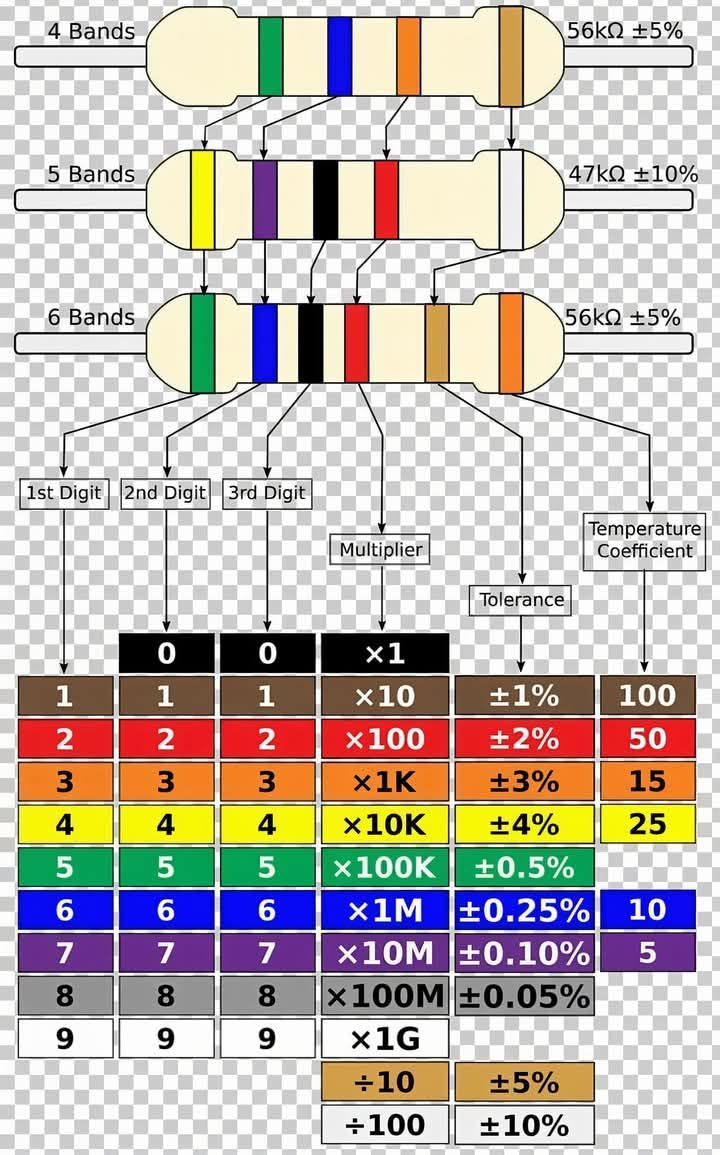
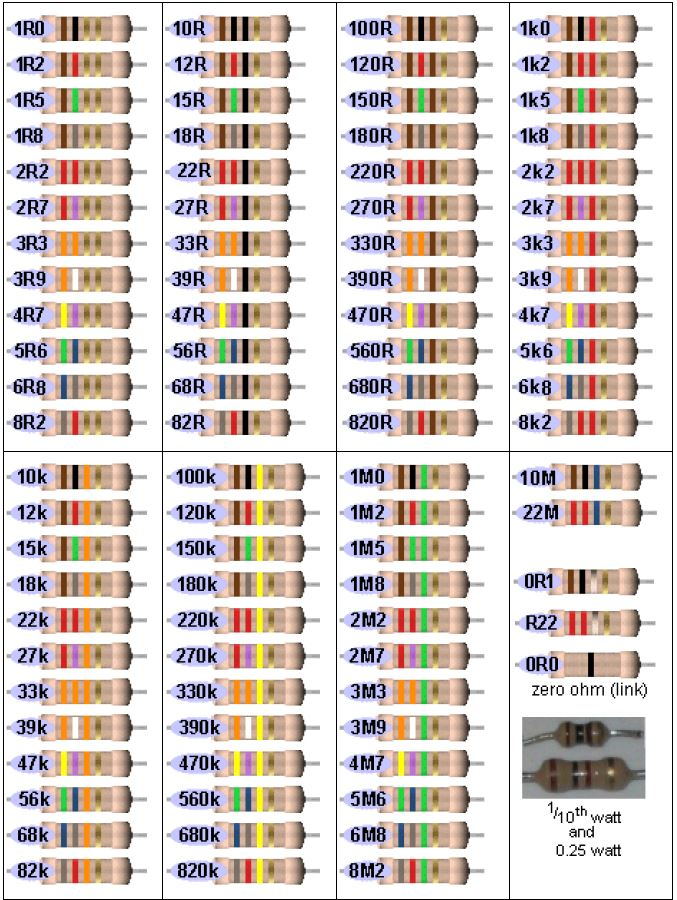
Read the color bands from left to right. The colors on the first 2 or 3 bands correspond to numbers from 0 to 9, which represent the significant digits of the resistor's ohmic value. The last band gives the multiplier. For example, a resistor with brown, green and green bands is rated at 15 mega-ohms (15,000,000 ohms). The code is as follows:[2]
- Black: 0 significant digit, multiplier of 1
- Brown: 1 significant digit, multiplier of 10
- Red: 2 significant digit, multiplier of 100
- Orange: 3 significant digit, multiplier of 1,000 (kilo)
- Yellow: 4 significant digit, multiplier of 10,000 (10 kilo)
- Green: 5 significant digit, multiplier of 100,000 (mega)
- Blue: 6 significant digit, multiplier of 1,000,000 (10 mega)
- Violet: 7 significant digit
- Gray: 8 significant digit
- White: 9 significant digit
- Gold: multiplier of 1/10
- Silver: multiplier of 1/100
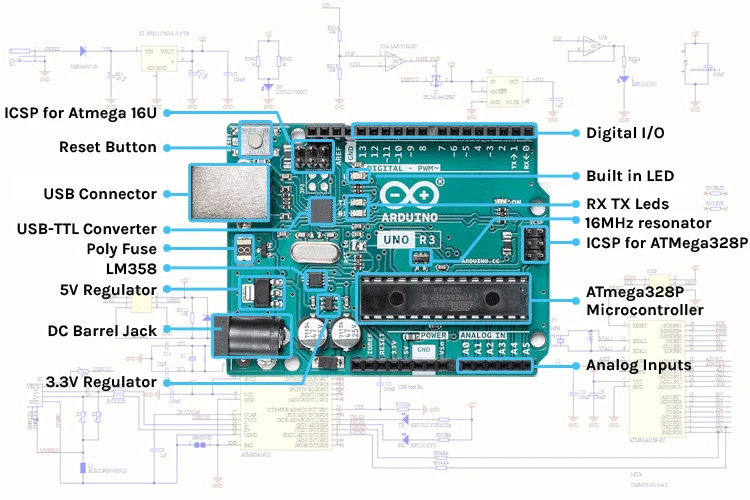
Arduino Board and Parts
Arduino Board
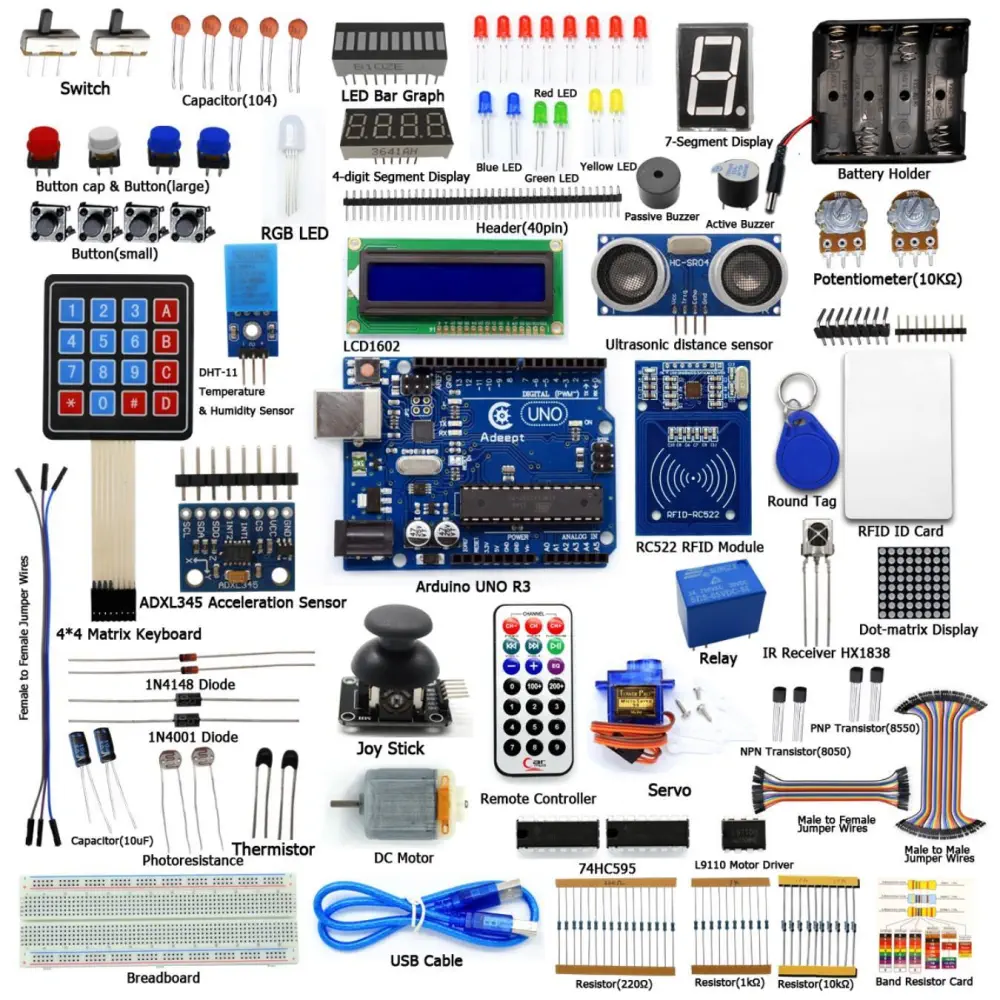
Parts
Sample Projects
Arduino - LED - Blink | Arduino Tutorial (arduinogetstarted.com)
Arduino - RGB LED | Arduino Tutorial (arduinogetstarted.com)
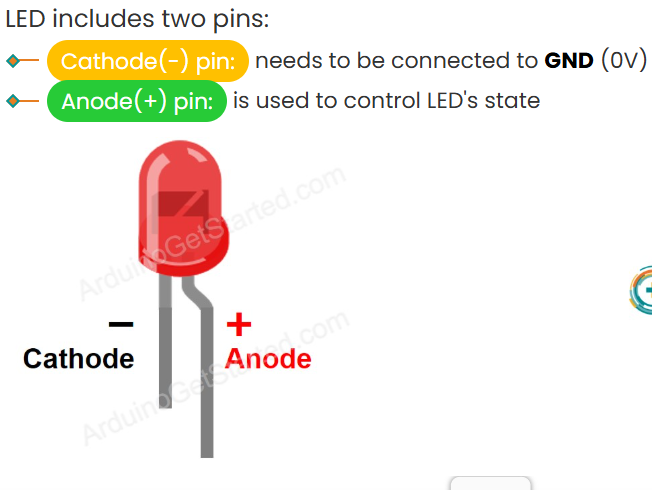
LED
LED
Push Buttons
Push Buttons

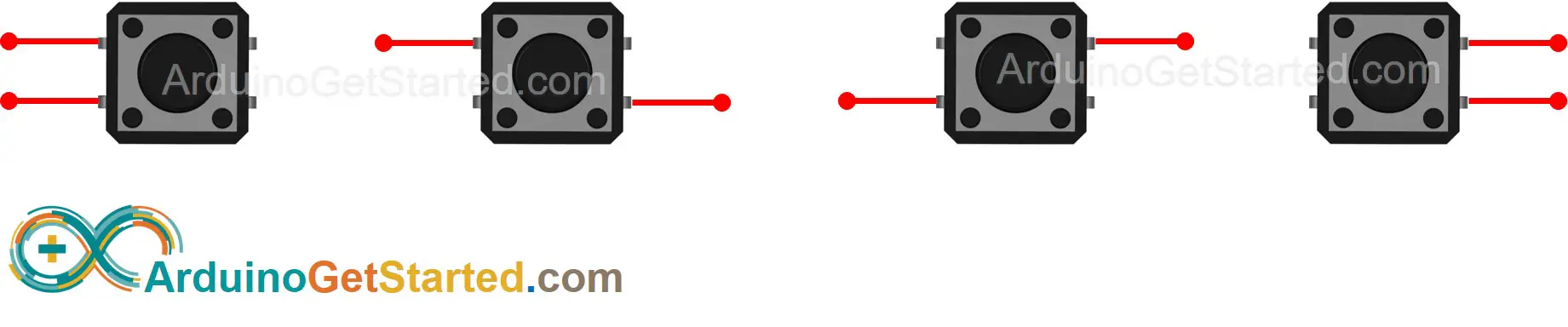
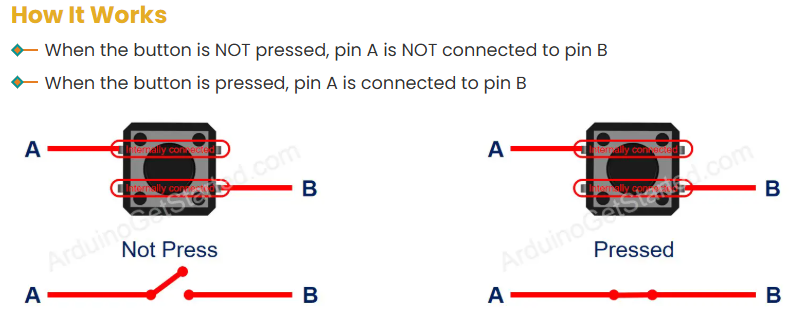
There are four ways (actually two because of symmetry) to connect to buttons. You can only use two at a time: