# Oculus Rift S
# Specs & Basic Capabilities
**Controllers:** 2 x Oculus Touch (second generation)
**Tethered?:** Yes
**Lighthouses?:** No
**Tracking:** Inside-Out, 6 DOF
**Display panel:** Single LCD
**Resolution (per eye):** 1280x1440
**Refresh rate:** 80 Hz
**Audio:** Integrated Stereo Speakers
**Storage:** Dependent on computer
**Processor:** Dependent on computer
**Usage modes:** Seating, standing
# Oculus Rift/Link Login Error
If you are having the following issue that looks like the following:
[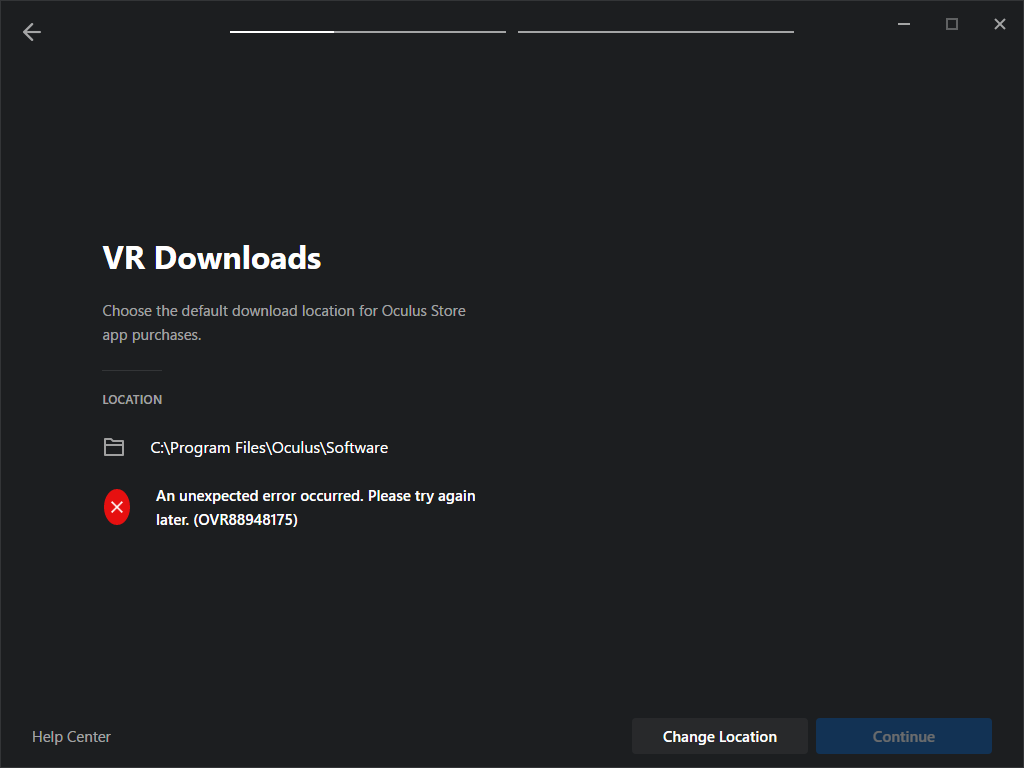](https://scil-wiki.su.edu/uploads/images/gallery/2023-11/9530klaoqe7b.png)
Close the software.
Open a windows command prompt from the start menu (or search). Copy the following line below and paste into the command prompt, then press enter.
`REG ADD "HKCU\Software\Oculus VR, LLC\Oculus\Libraries"`
Reopen Oculus software and verify you can move forward with setup.