In this field, you will find many synonyms for workflows, tools, etc. **Packaging** in Unreal is also referred to a **Build**, an **EXE** (Windows), an **APK** (Android), an **App** or **Application**, or a **Distributable**.
#### Packaging Tools Needed Visual Studio will need to be installed, along with the following **components**/**workloads** from the Visual Studio Installer. Generally, these **packages are already installed on SCiL workstations**. - Install .NET SDK - Game development with C++ **\[Workload\]** #### Unreal Engine Documentation: [Packaging Your Project \| Unreal Engine 5.7 Documentation \| Epic Developer Community](https://dev.epicgames.com/documentation/unreal-engine/packaging-your-project?lang=en-US)Double-check your **default maps**! You may want to view the above documentation or [click here](https://dev.epicgames.com/documentation/unreal-engine/packaging-your-project?lang=en-US#beforeyoubegin)
[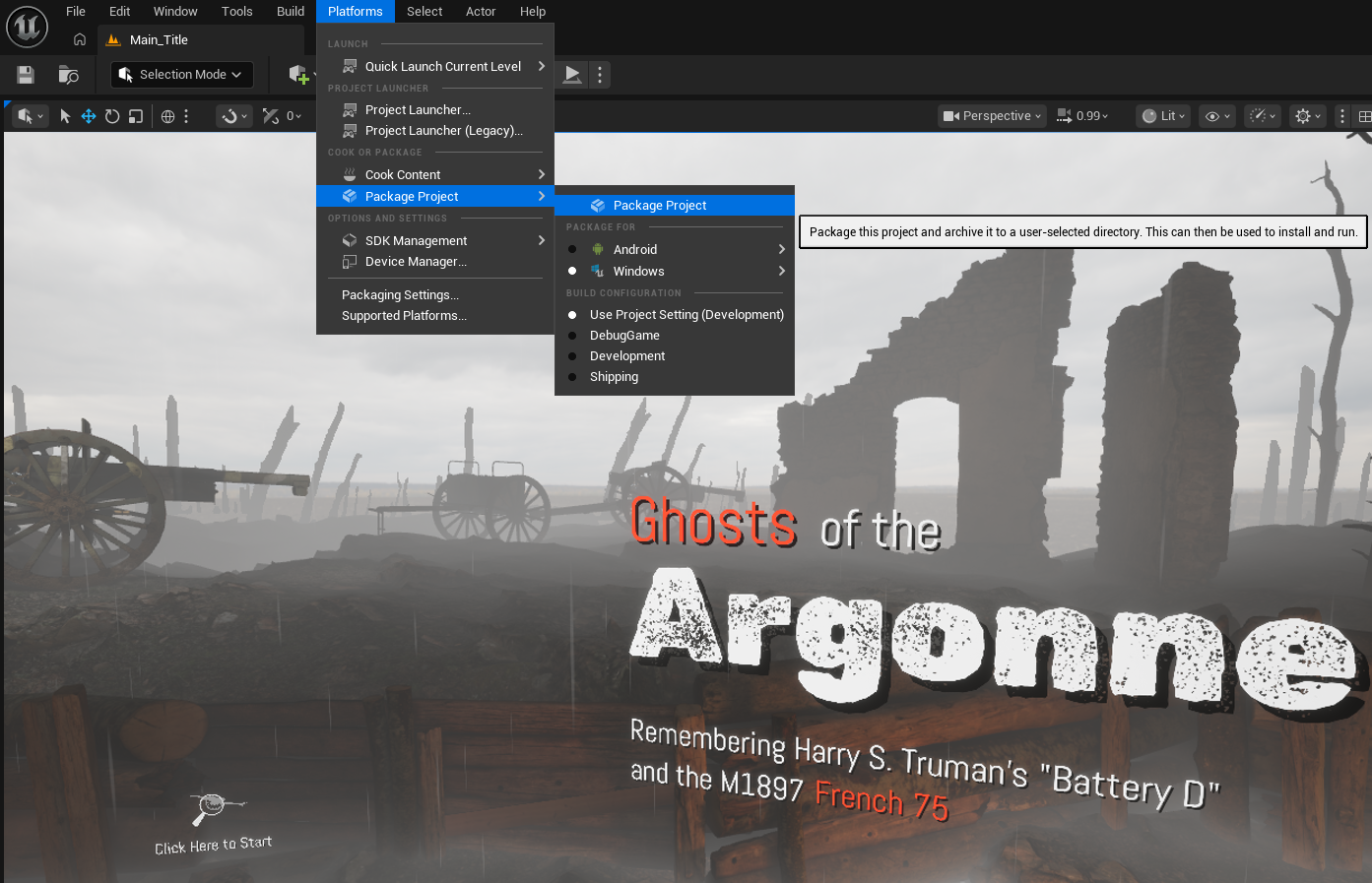](https://scil-wiki.su.edu/uploads/images/gallery/2026-08/image.png)*Menu to package a project. Note: 5.7 and up you will need to select the platform under "package for."*