
Chapter 4: Camera Settings, Aperture & F-Stop
- Determines how much light is allowed to enter the camera to reach the imaging sensor and measured in F-Stop. This is controlled mechanically, by opening or closing the camera aperture. Different lenses have different apertures, handling different f-stop ranges. Aperture also determines the Depth of Field.
- Lower f-stop numbers indicate that the aperture is more open, allowing in more light. Lower f-stop numbers also narrow the depth of field, causing the area of focus to be relatively shallow, with foreground and background parts of the image being out of focus.
- Examples:
- f/1.2 - f/2.8 - lets in a lot of light; shallow depth of field
- f/4 - f/8 - useful in many scenarios; somewhat wider depth of field
- f/11 - f/32 - best for bright settings; wide depth of field
- The “depth of field” is the distance between the nearest and furthest in-focus objects in an image. A narrow depth of field will have a very narrow area in which objects will be in focus. A wide depth of field will put most elements of the image in focus. Turning the focus ring will adjust the position of the in-focus area, or focal point.
|
Shallow Depth of Field |
Aperture |
Wide Depth of Field |
|
Aperture = f/1.4 DOF = 0.8cm |
f/4.0 DOF = 2.2cm |
Aperture = f/22 DOF 12.4 |
The Canon EF 24-105mm f/4L IS II USM lens that is normally kept on the SCiL DSLR cameras has an adjustable f-stop rangefrom f/4 (wide open) to f/22 (nearly closed). It will retain the f-stop you set through its entire zoom range from 24mm to 105mm.
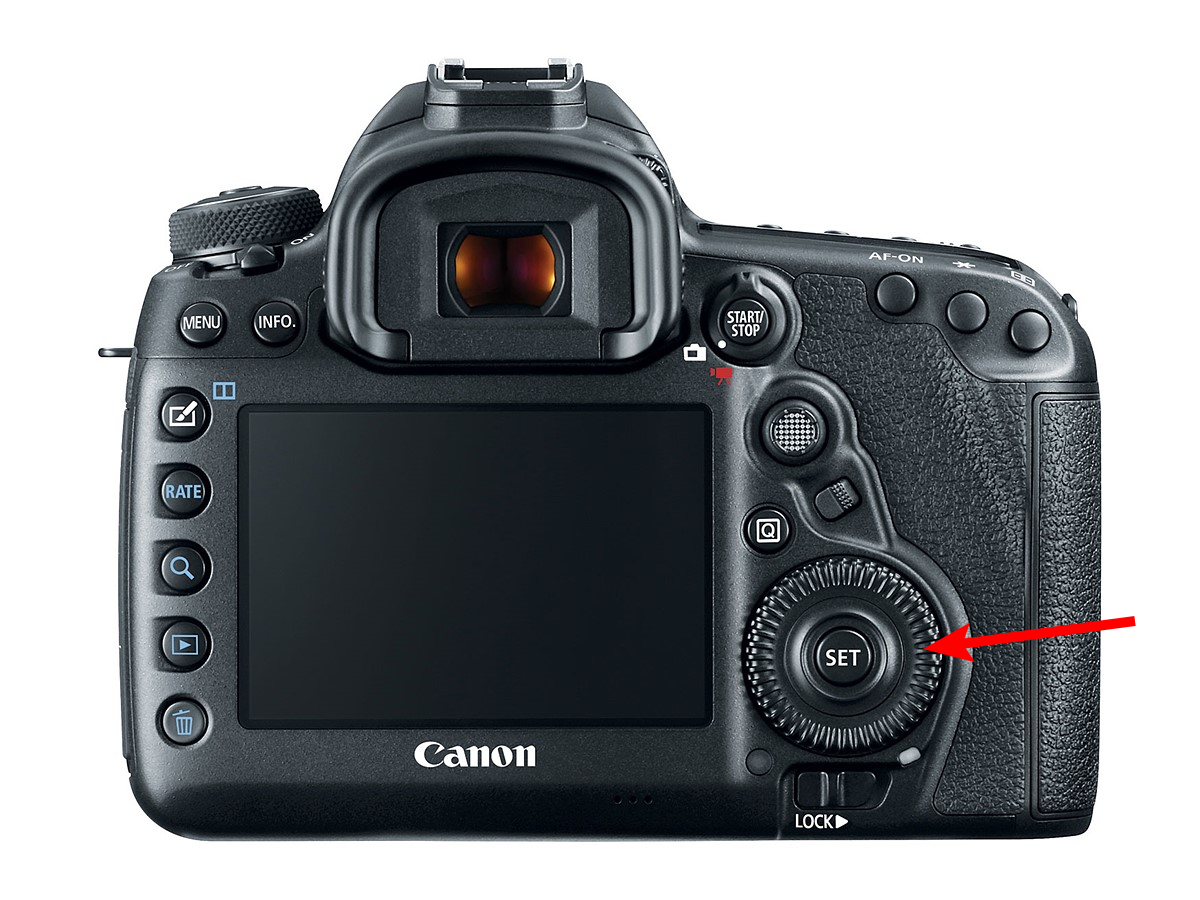
When the camera is set to video mode, you can set the f-stop on the Canon EOS 5D Mk IV using the large dial around the "set" button located at the lower right of the camera body.
For a more in depth explanation, visit Chapter 3: Elements of Exposure, Aperture