Meta Hand Tracking Unreal
Prerequisites
- Meta XR plugin is enabled in your project. The SCiL workstations typically has this plugin installed but if you are working from home, you can find out more about the plugin here. Ensure all the Meta XR recommendations are in place!
- XR Rig (VR Pawn) is properly working with controllers.
- All interactions should be working correctly with the controllers
- Optional: Passthrough has been setup
Setup
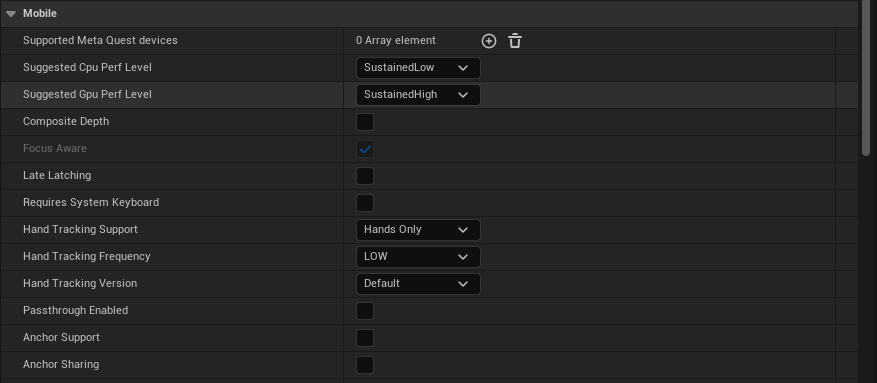
For this guide, we will be setting our controllers to Hands Only, Hand Tracking Frequency to LOW, and leave default values for the rest.
Go to Edit -> Project Settings -> Plugins -> Meta XR. Under the section for Mobile, set Hand Tracking Support to Controllers Only. The other default values are fine.
Now open your VR Pawn/XR Rig. On both of your main Motion Controller components, i.e. the motion controller components marked to use the motion source Left or Right (NOT Right Aim etc.), Disable (set Hidden in Game) or delete any XRDeviceVisualization components that may be there.
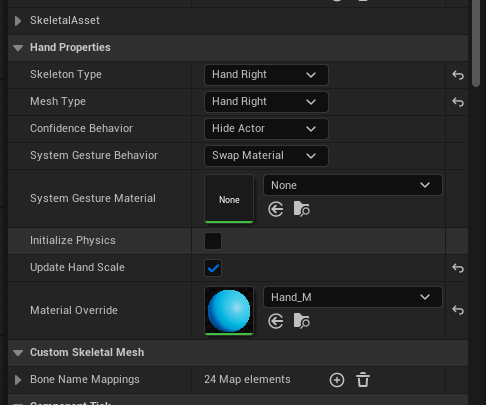
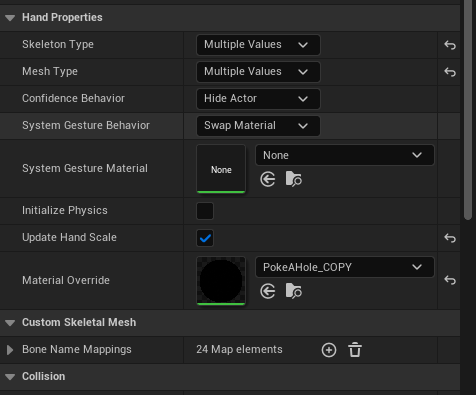
Now add an OculusXRHand component as a child of each main Motion Controller (labeled OculusXRHand_L for the left and _R for the right). Let's take a look at the settings for you to configure:
- Skeleton Type: Set for either the Left or Right hand in the component you are working with.
- Mesh Type: Set Left/Right, same as above
- Confidence Behavior: Leave this alone
- System Gesture Material: This is a material you can optionally assign when your hand's palm is facing close to your face, triggering Meta's system to show a home button to either pause or leave the app.
- Initialize Physics: Except for special use-cases, I would leave this off for performance purposes.
- Update Hand Scale: Set this to true to allow the hand to scale to be the same size as yours
- Material Override: This is your default hand material.
Here is a basic setup:
Be sure to build your app and test in standalone VR to ensure quality
Input and Gestures (Input already Enabled)
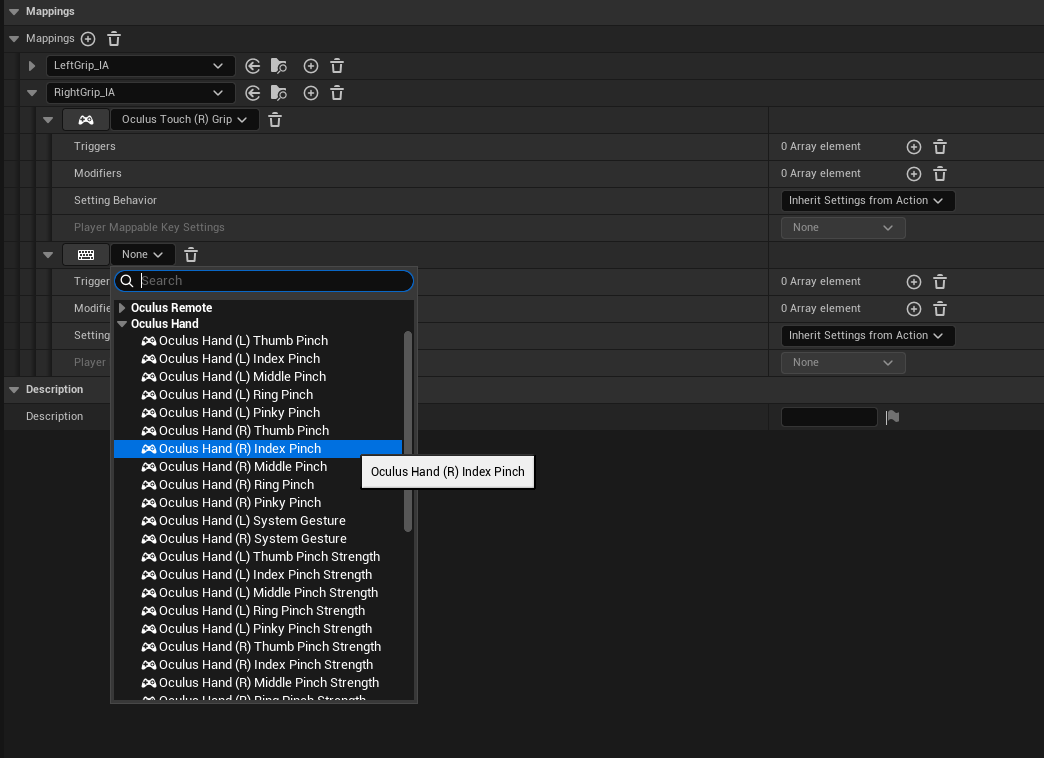
For input, such as pinch, you can open your input mapping context file and choose a mapping to add built-in gestures, such as Oculus Hand (R) Index Pinch:
Optional: For more advanced gestures and custom gestures, see this video: https://www.youtube.com/watch?v=VV9PKQ_DruA
Optional: Passthrough Hands with Depth Occlusion
You must have passthrough setup and working as outlined in the prerequisites above.
You MUST FOLLOW the following instructions CAREFULLY!
- Open your Content Drawer and look for the button Settings on the top right. Enable Show Engine Content and Show Plugin Content.
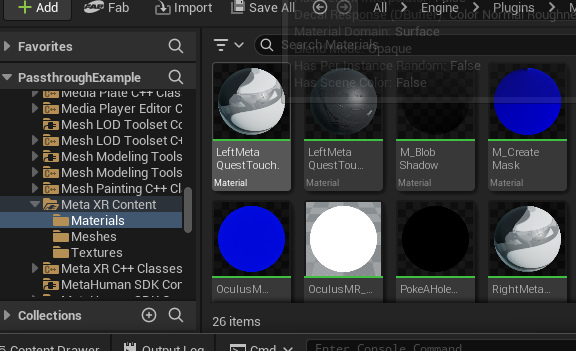
- Now, browse through the folders in your Content Drawer and browse to Engine -> Plugins -> Meta XR Content -> Materials
- Look for the material PokeAHoleMaterial.
- Click (but don't open) on this material to select it.
- COPY it (CTRL+C)
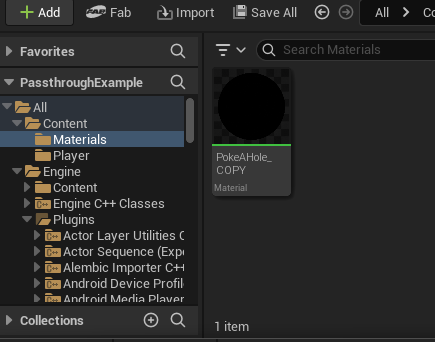
- In your project's Content folder, PASTE (CTRL-V) this material in your project's materials folder. I would SUGGEST renaming it, maybe PokeAHole_COPY.
- Disable Show Plugin Content in the Settings button of the Content Drawer, to prevent accidents in the future.
- Assign this copied material to the Material Override in your OculusXRHand components.
Here are some screenshots of the process:
From here, build your application and test in standalone.
For occlusion depth in Meta Link, you need to set in the Project Settings Alpha Output to TRUE and in older versions Enable alpha channel support in post processing option set to Allow through tonemapper.