2. Arduino - Button
Equipment:
- 1x Arduino Uno
- 1x USB 2.0 cable type A/B (for USB-A PC)
- 1x USB 2.0 cable type C/B (for USB-C PC)
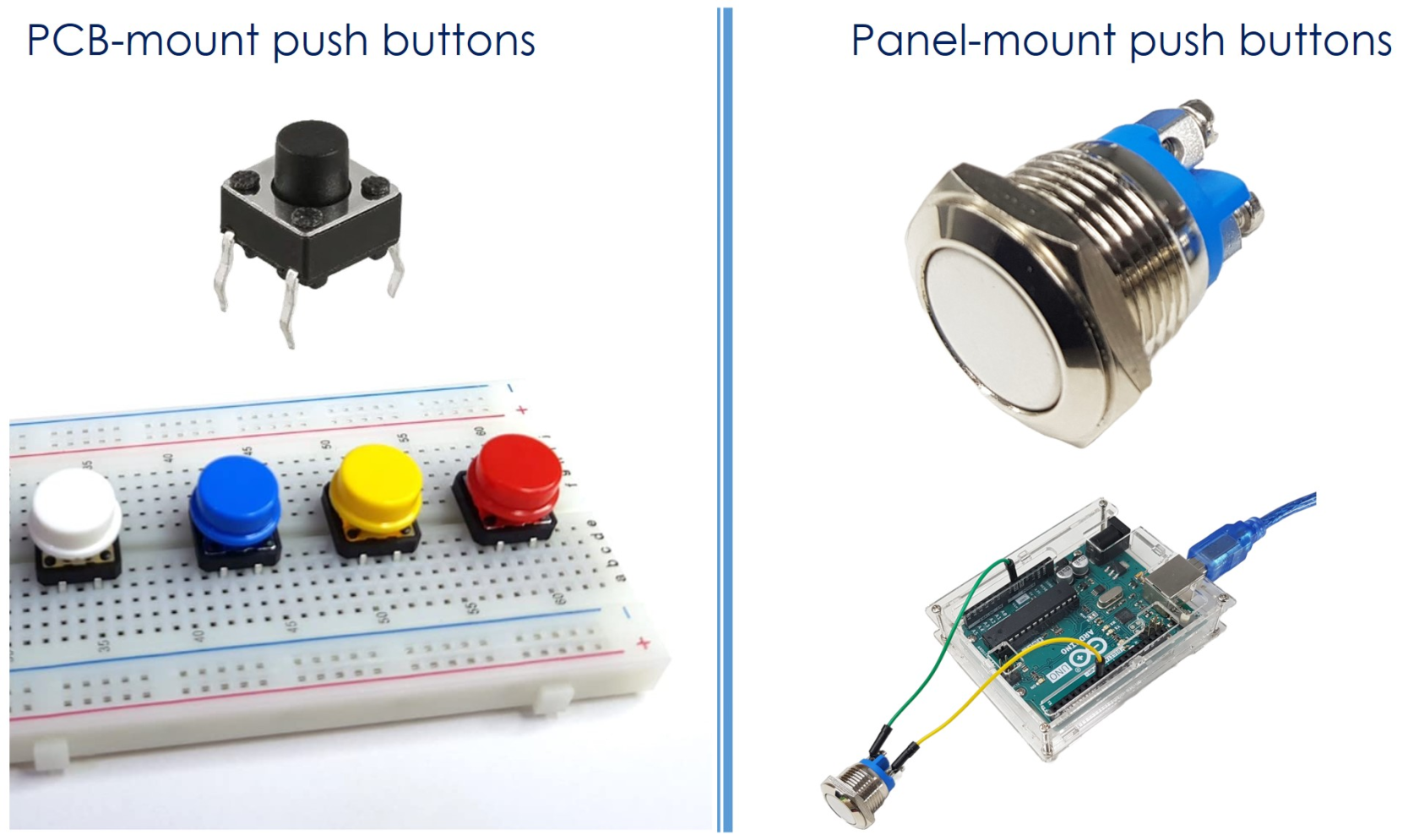
- 1x Breadboard-mount Button w/ cap
- 1x Breadboard-mount Button Kit
- 1x Panel-mount Button
- 1x Push Button Module
- 1x breadboard
- 1x Jumper wires
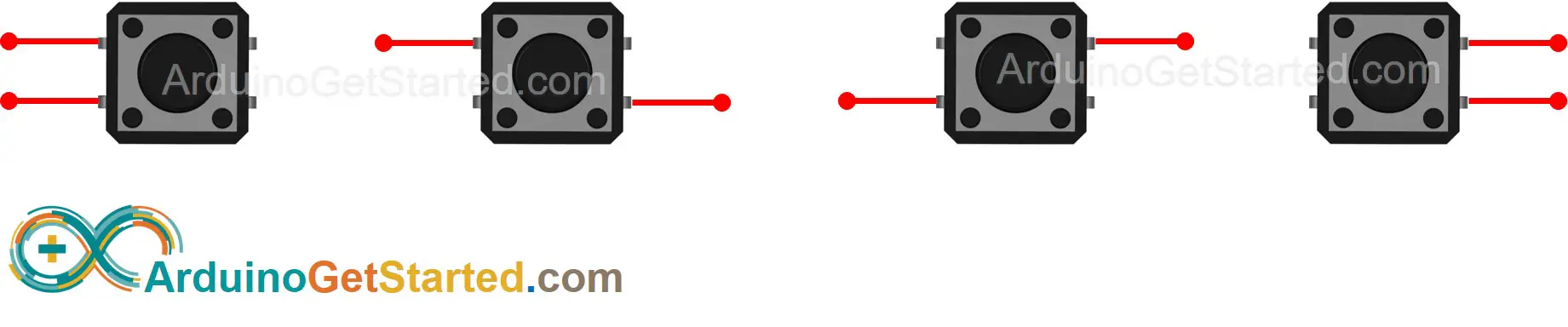
Buttons
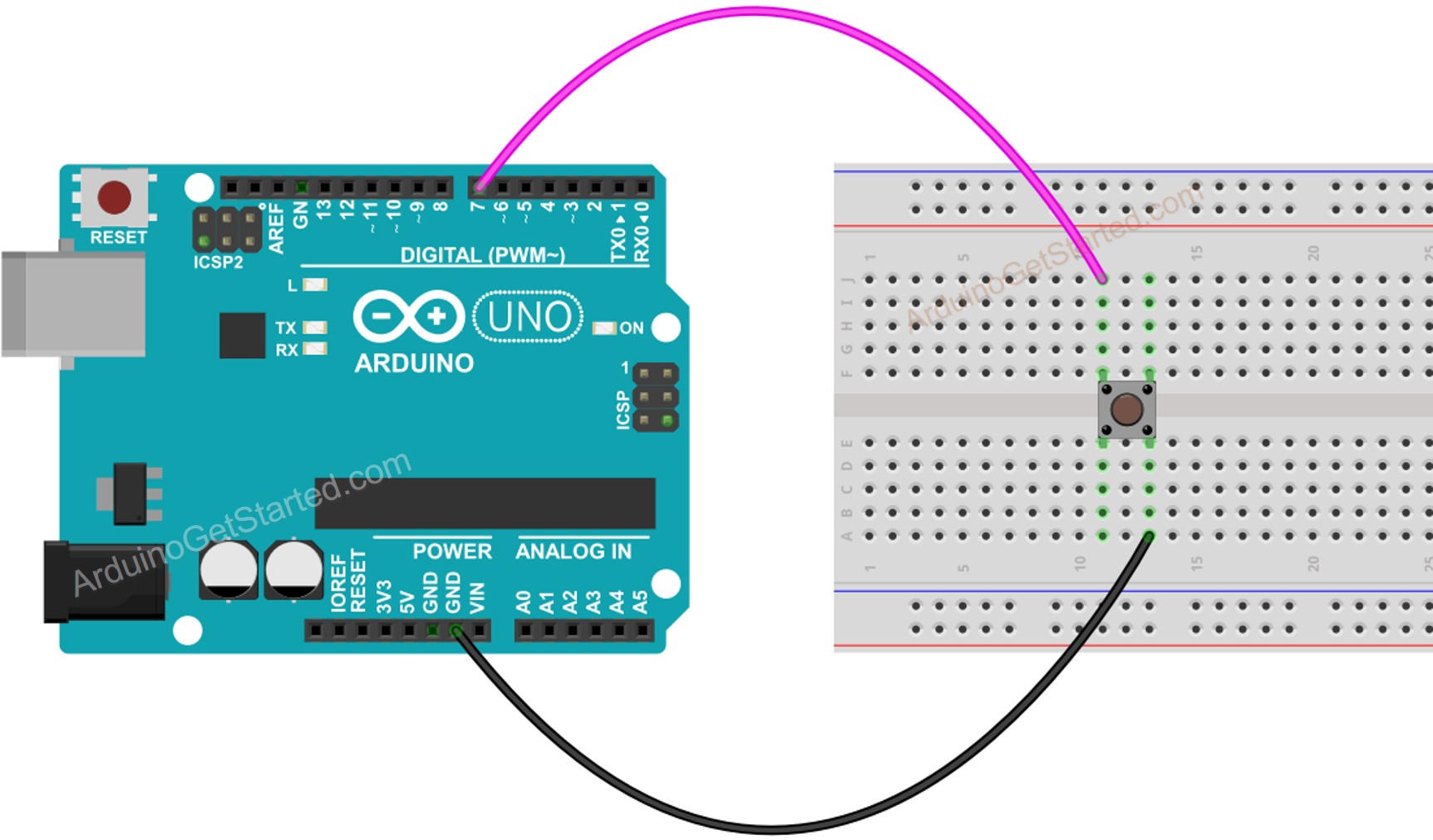
Project Set-up
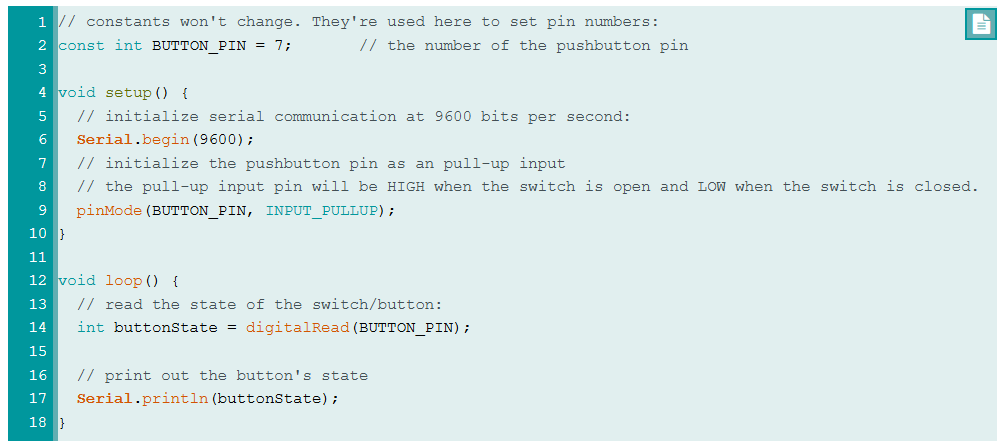
Testing your script
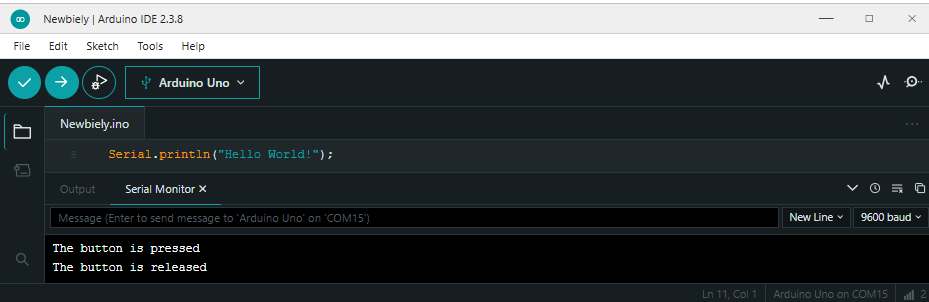
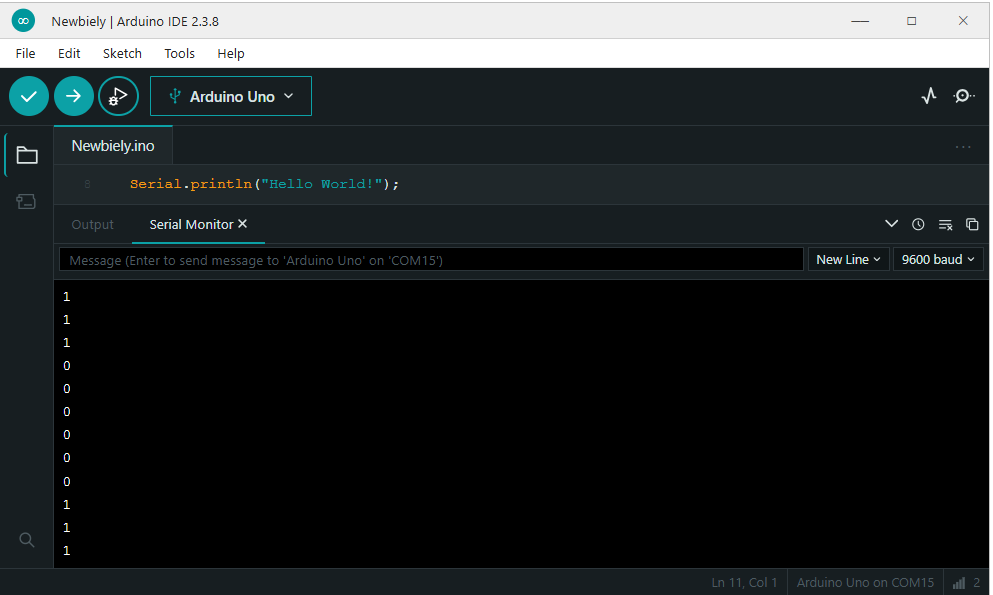
Open Serial Monitor (under Tools). Press button a few times and the script should change between 0 and 1 (1 is high, 2 is low).
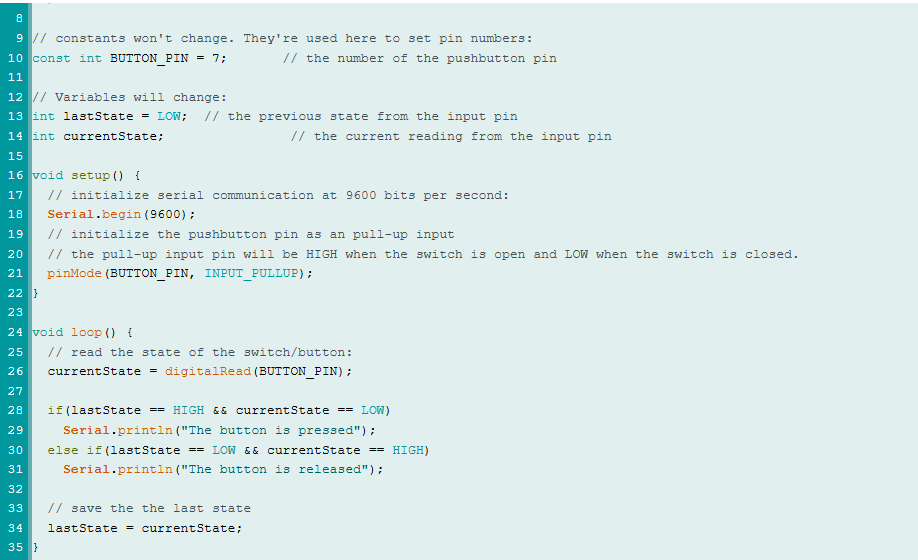
Modify the code to detect the press and release events: